Overview
Short URL Reporting in Accutics gives you clear, actionable insights into how your short URLs and QR codes are performing. Track clicks, analyze engagement trends, and break down your traffic by location, device, and more—all within a governed, easy-to-use interface.
Key Features
Governed Short URL & QR Code Generation
Create short URLs and QR codes directly in Accutics, with taxonomy rules applied automatically for consistency and compliance.Click Tracking & Trendlines
Monitor clicks over time for each short URL. Visualize engagement patterns and spot spikes in campaign performance.Engagement Breakdowns
See detailed breakdowns by:Location (country/region)
Referrer (traffic source)
Device and operating system
Browser
Aggregated Reporting
Roll up results by campaign, channel, or region to see broader engagement trends and compare performance across multiple links.
How to Use Short URL Reporting
Navigate to Short URL Reporting
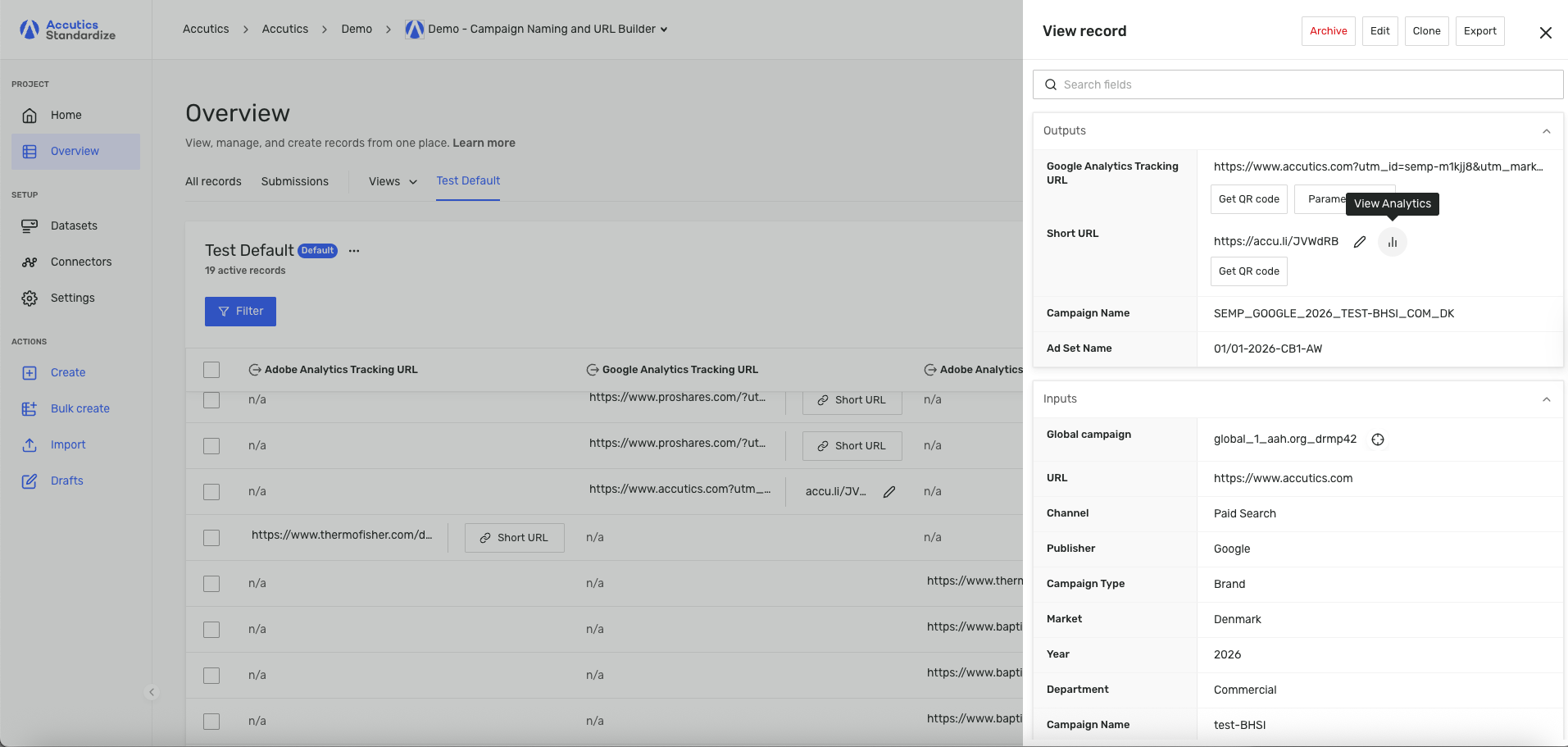
Go to the Overview table and locate a record that contains a short URL. Use the View option to open the details of the record.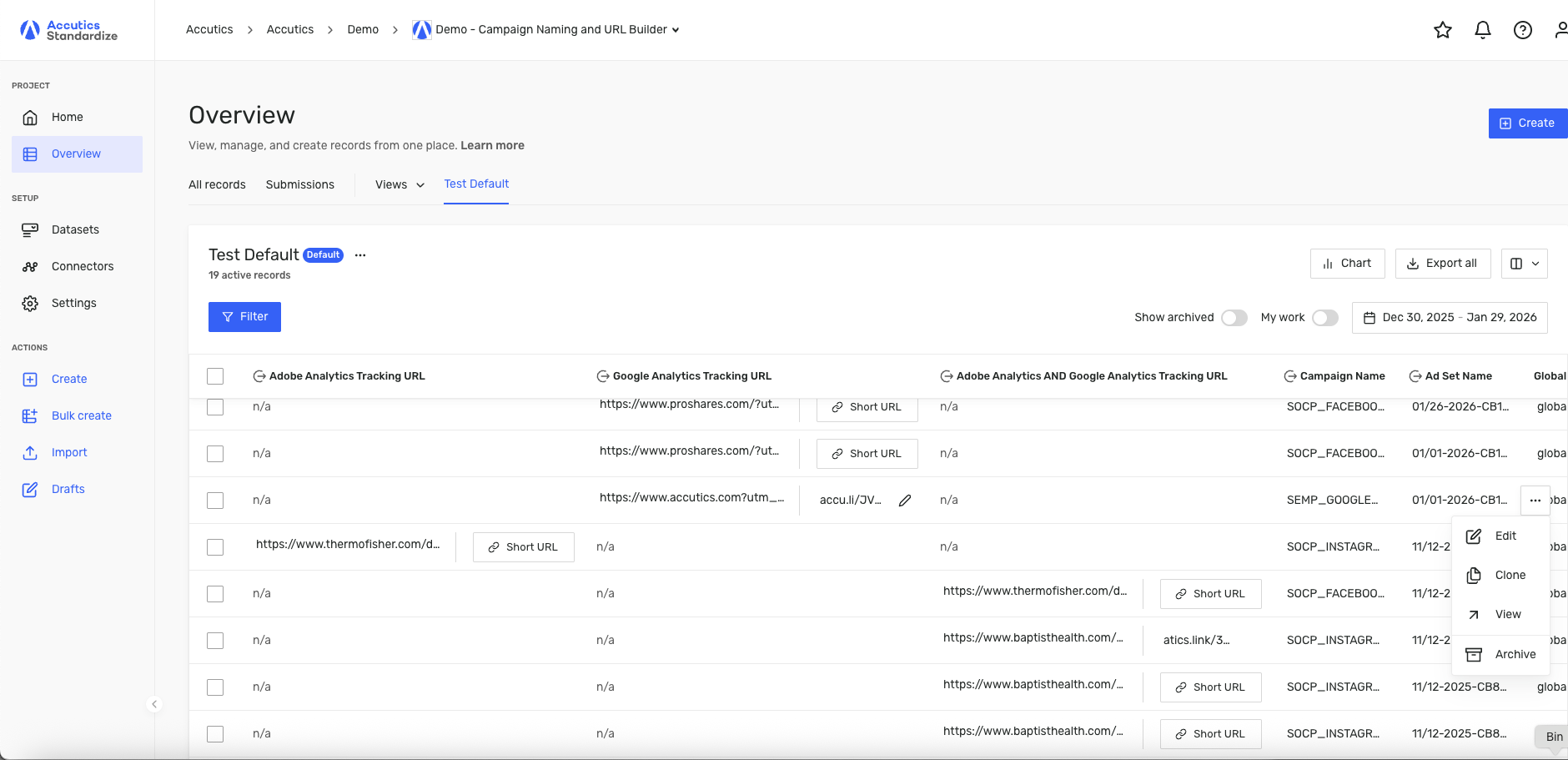 Click the chart icon next to the short URL to view the data for that short URL.
 Select Your Date Range
Adjust the reporting period to analyze performance over your desired timeframe.View Metrics
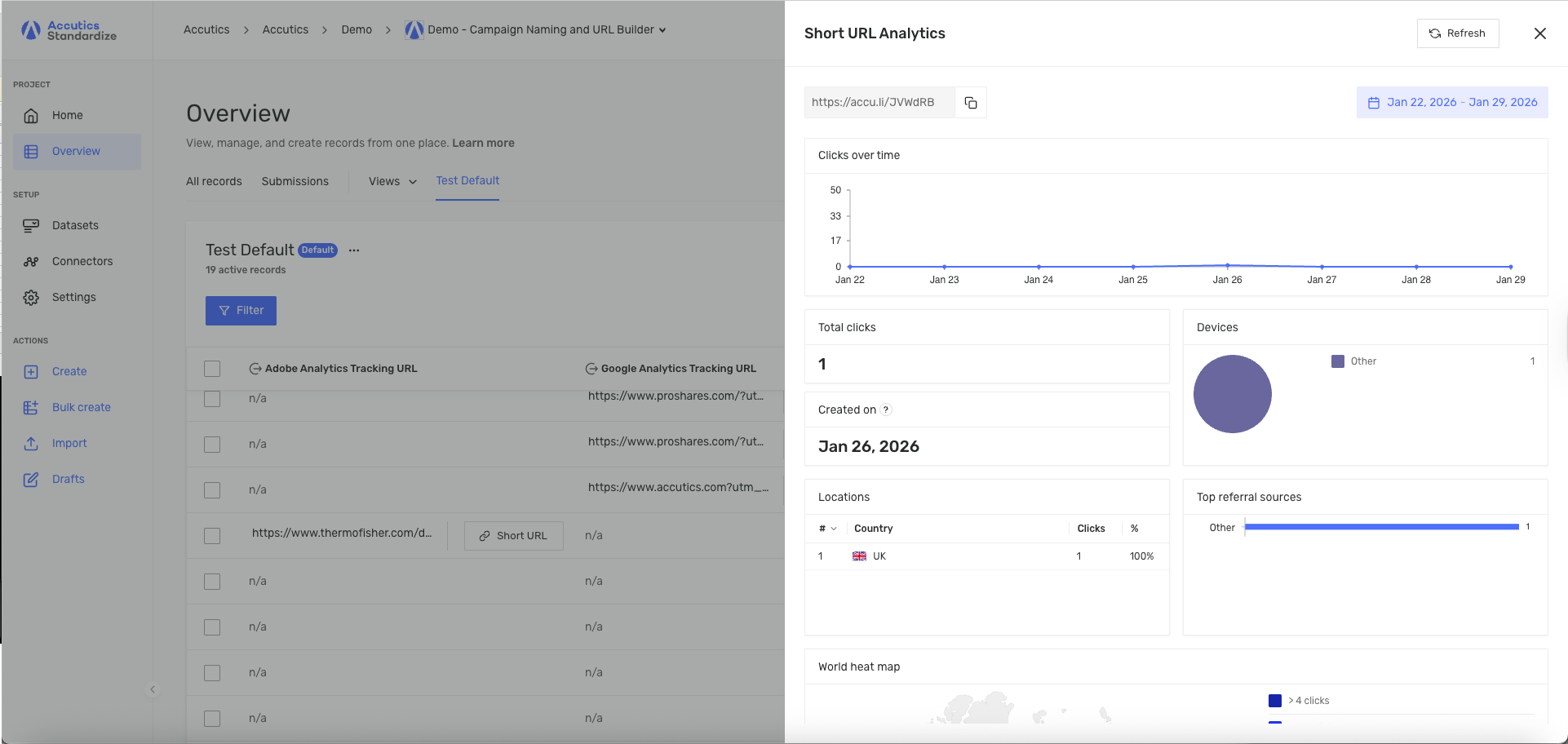
See total clicks, trendlines, and engagement breakdowns for each short URL.